
How to use dashboard and uploads
Upload a video/Add source
1. To upload a video, click the upload button on top of the right hand side beside your avatar.
2. You will get a few options. The one you want is up to you, depends what you are uploading.
3. If you choose the “upload video” a box will open and you can drag files or hit browse to open a window on your computer. No Thumbnail Required for this action.
4. If you choose to embed code “Add from source” then you will have to paste the code and publish it, then hit Edit to Add a Thumbnail.
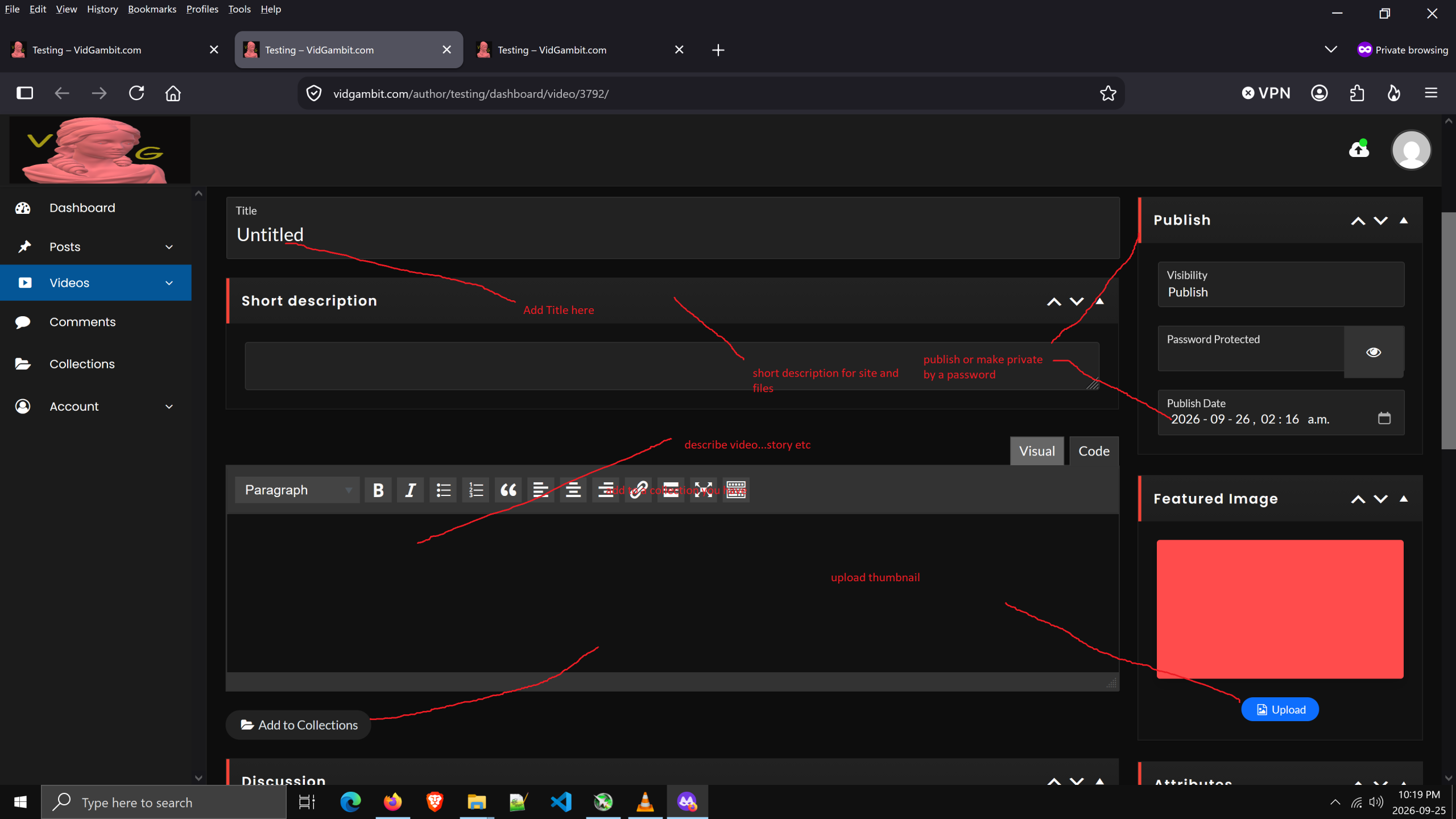
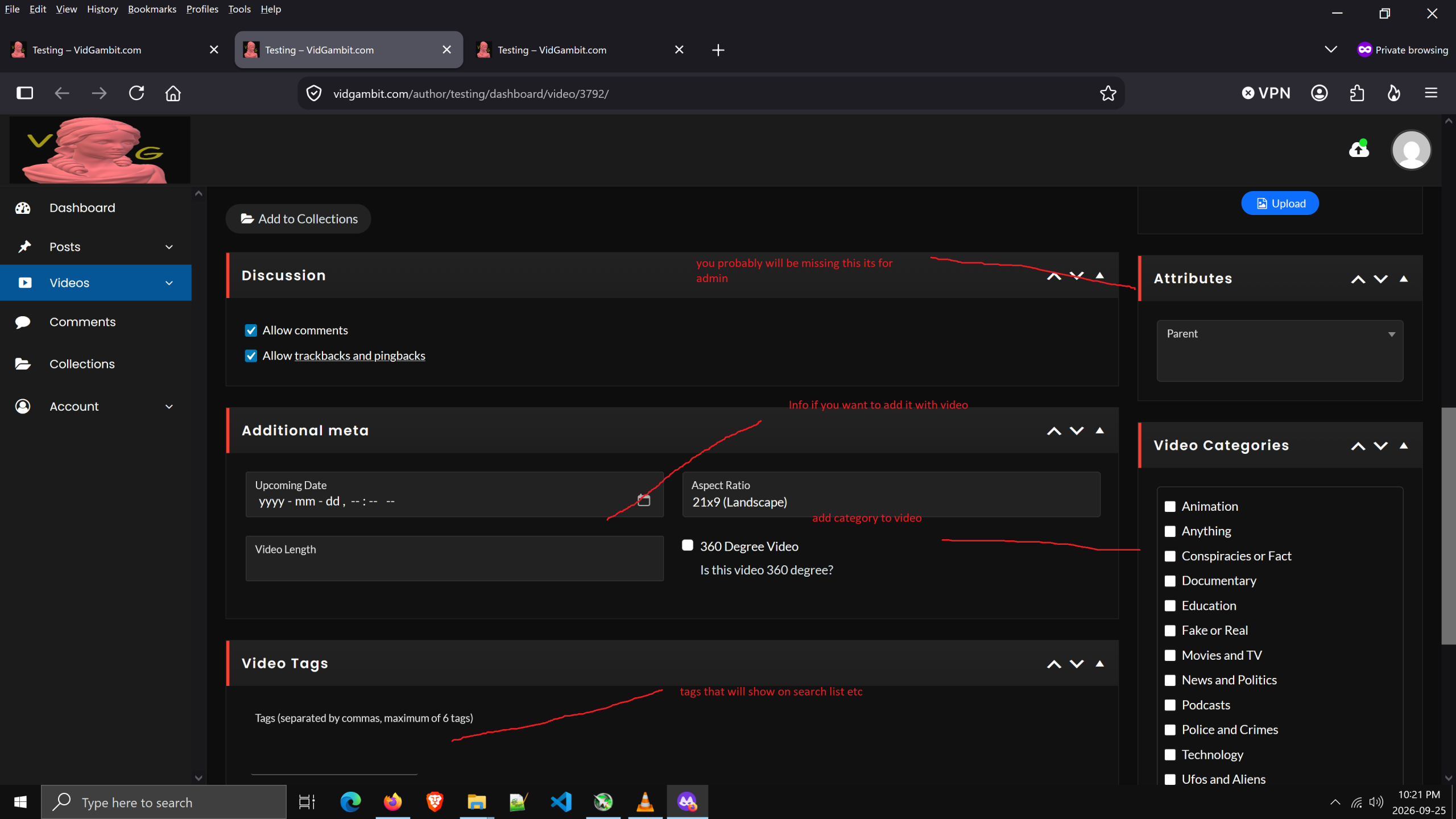
How to Use Edit Screen
If you look at the screen shots you can see what most things are and are self explanatory.
Just remember where to add the thumbnail and everything else is pretty well optional
You can look around to see what things do
Other than these things, try experimenting and see what everything on the site does for your member role
Any questions just email us at VidGambit@VidGambit.com and we will try and help with things